How to Use a Short Drama App: From Download to Your First Ending

Step 1: Get the app
Install DRAMAGO from the App Store (available since November 2024) or Google Play (since March 2025); setup takes about two minutes, the first launch offers seven interface languages, and the step is complete when the library home screen loads.
Which store does your phone use? Getting started with a short drama app takes one install from either one, and the whole step runs about two minutes. On an iPhone, open the App Store and search for DRAMAGO. On Android, open Google Play and run the same search.
The first launch opens with a language choice. Seven options appear, English, Spanish, Portuguese, French, Indonesian, Traditional Chinese, and Japanese, and the pick sets the interface along with the subtitle defaults. Portuguese speakers get Portuguese menus and subtitles by choosing the Portuguese entry.
The step is done when the app opens onto the library home screen, a grid of series covers with genres around it. Every step after this one starts from that screen.
Step 2: Pick your first drama
Choose your first title on three dials. Genre matches the mood you are in, from fantasy romance to suspense and crime; interaction depth ranges from a linear single path to a 74-episode three-branch series; and episode count sets the time budget, with 40 episodes at two to three minutes each running about two hours.
Start with genre. The catalog leans on fantasy romance with supernatural leads, heroine-led comeback stories, suspense and crime, and sweet-torment romance. Start with the mood you are in: I Stole My Sister's Billionaire Alpha for fantasy romance, Blood on the Badge for suspense and crime, The Queen's Taming Rules for a comeback story.
Set interaction depth second. A linear title plays like ordinary television, a single fixed path, while an interactive title pauses at story nodes and asks you to steer. A 40-episode A-tier interactive series carries story choices and character interaction at a light decision load, which makes it the right starting tier, whereas an S-tier series like Sterling Lies runs 74 episodes across three branch lines and rewards viewers who already know the rhythm. Viewers who want zero deciding can start with A Crown of Venom, an AI live-action drama that plays straight through.
Set the episode budget third. Episodes run two to three minutes, so a 40-episode title works out to roughly two hours of viewing, a relaxed weekend's worth, while an 87-episode S-tier title is a commitment. To compare these numbers per title, browse the full library in the app.
First-timers start best in a 40-episode A-tier interactive series, and the 74-episode three-branch S-tier titles pay off once the rhythm is familiar.
Step 3: Watch, choose, and unlock
The core loop of an interactive title runs in four beats, watch a segment, meet a story node, choose, and keep watching, and the unlock question appears once the free opening episodes run out. Past the free stretch, the rest unlocks with in-app credits.
The episode plays like any video, and at a story node the picture pauses while options appear over it, sometimes with a countdown for a timed decision. Choose one, and the story continues down the route that follows from it, with later scenes and the ending responding to the choice. The stated design principle is that interaction serves the story, so every choice steers the route.
Unlocking starts when the free stretch ends. Opening episodes of every series play free, and past them the remaining episodes unlock with in-app credits.
How long the free stretch lasts depends on how intensively you watch, and whether the free quota is enough is a recurring question in user feedback.
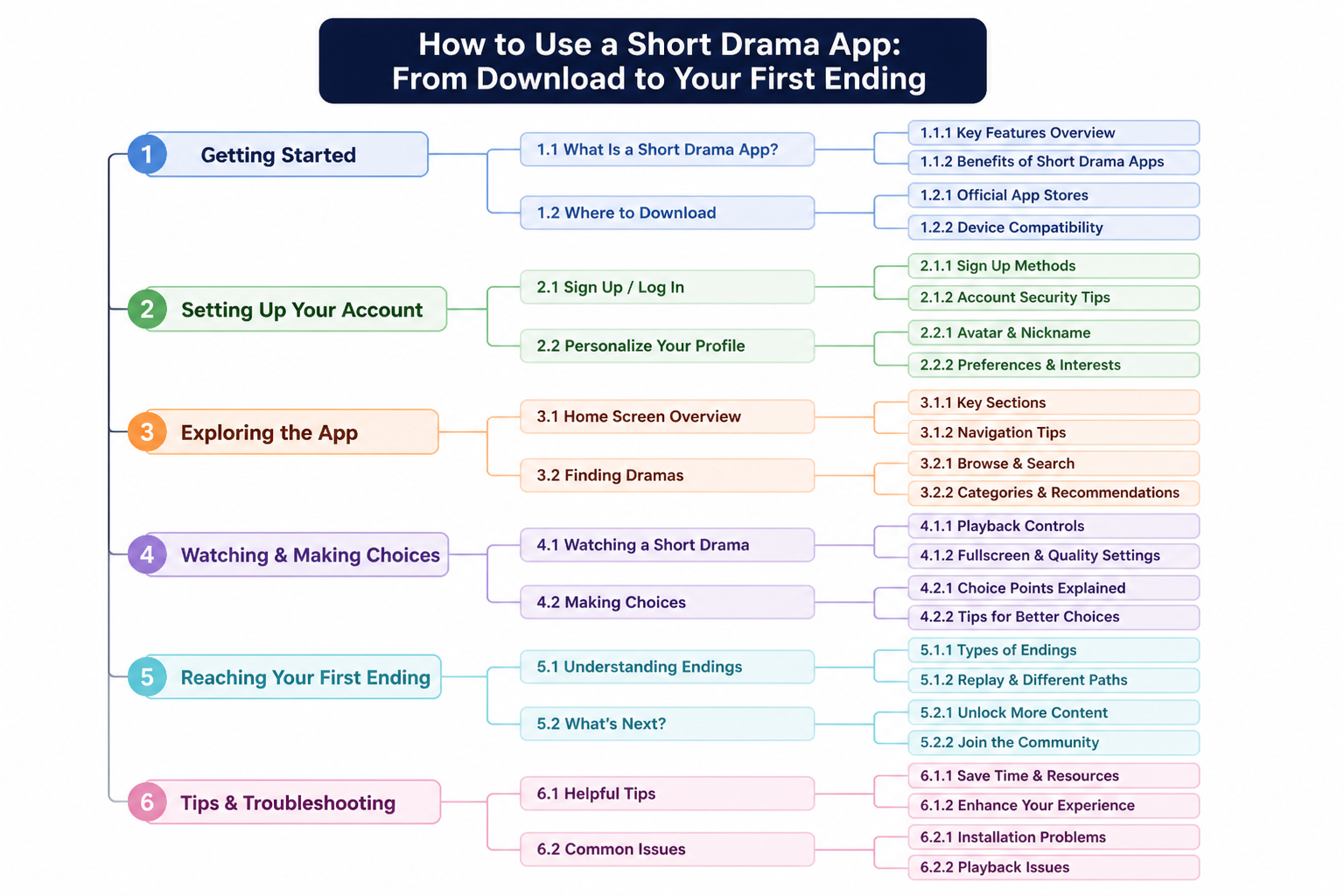
Each choice at a story node steers the route, and after the free opening episodes the rest of the series unlocks with in-app credits.
Step 4-5: Finish a route, then replay
Return to the biggest fork after the first ending and walk a second route, plan replays around a three-branch series, and let character chat stretch the story past the credits. From download to first ending, one afternoon covers the whole journey.
Finish a route first. Credits roll on the first ending, and the natural instinct is to close the app; the better move is to reopen it, because a different set of choices produces a genuinely different route through the same series. Across our research sample, the theme positive viewer feedback returns to most often is exploring multiple endings.
Plan the replays next. On a three-branch series like Sterling Lies, the routes follow Sander, Julian, and Leo, so a sensible plan is one branch per evening, three evenings, three endings to compare. On a 14-branch series like Blood on the Badge, revisit the forks that mattered most. Between sessions, character interaction extends the story past the credits. Character chat is where DRAMAGO's AI-powered story worlds begin: today you talk to characters between viewings, and the road ahead moves from conversation toward acting inside the world — an evolution DRAMAGO is building toward.
Count the journey from the top. Install to library takes two minutes, a first A-tier route takes an afternoon, and a second route opens whenever the first ending leaves questions. That is the full shape of using a short drama app.
Frequently asked questions
How much does it cost to start using a short drama app?
Installing is free, and the opening episodes of every series play free. Payment enters only past that point, with the rest unlocking through in-app credits.
Can I unlock episodes without paying?
The opening episodes play free on DRAMAGO; past them, the rest unlocks with in-app credits.
What happens if I pick the wrong choice at a story node?
Nothing breaks. A different choice means a different route and ending, and a second playthrough covers the other road.
How long does it take to get from download to a first ending?
One afternoon. An A-tier title of 40 episodes at two to three minutes per episode runs roughly two hours, so a single afternoon carries you from download to credits.
Is DRAMAGO just a short drama app?
No. DRAMAGO is an AI-native cinematic entertainment platform. Vertical and interactive dramas are the formats its catalog currently leads with; over time, it is evolving interactive drama and character interaction into AI-powered story worlds.