How to Make an Episode Interactive: The Six-Stage Production Path
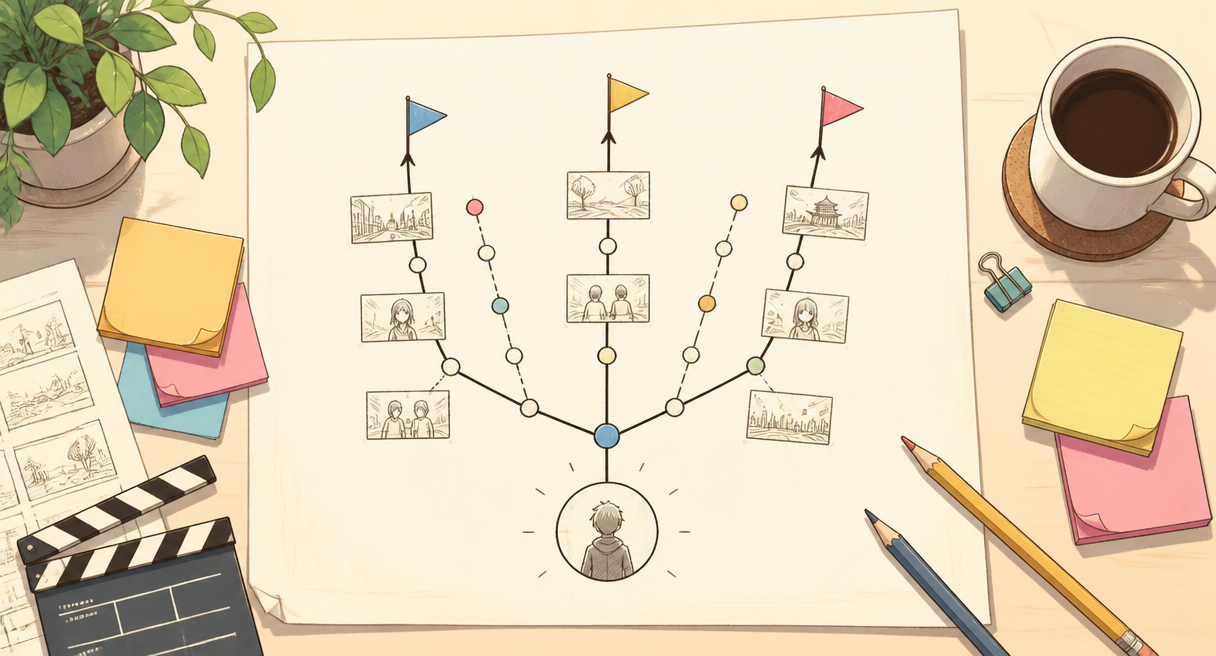
The short answer: two ways to read "make an episode interactive"
Making an episode interactive follows a six-stage path that shipped interactive series already run: script the branching tree, list every asset, generate the footage, cut for every branch, review the interaction logic, then ship. The question carries two readings, creator and viewer, and this guide answers the creator reading in full.
The stages run in strict order, each feeding the next. The phrase also holds a viewer's reading — how do I watch episodes that answer back? — which the FAQ closes. What follows is the creator's reading, written for interactive film and story-game audiences now building the choices they once made.
The six stages below come from the production side of DRAMAGO, an AI-native cinematic entertainment platform. That side runs inside DRAMAGO AI, the production environment where film teams collaboratively make interactive dramas: AI carries generation and execution, while story, characters, and aesthetic judgment stay with the professional team. DRAMAGO AI is distinct from DRAMAGO Worlds, the audience-side experience of watching and exploring — this guide stays on the maker's side of that line.
Stage 1–2: script the branching tree, then list every asset
Stage one turns a linear script into a branching tree: worldview, mainline, branch lines, marked decision points, and a tiering rule that keeps only choices which move the story. Stage two inventories every asset those branches will need, from expression sets and wardrobe variants to day-and-night scene versions and every prop the script names.
Stage 1: Script the branching tree
Inside DRAMAGO AI, the script stage decides whether the interactivity will mean anything, and it breaks into five concrete actions.
- Set the worldview and mainline first. Fix the core premise, genre, and tone before any branch exists, because every fork inherits from this spine.
- Build the branch tree and the multi-ending outline as one net. Every route gets planned here, so nobody discovers a missing branch in the edit.
- Mark each key decision point by type. Story options, quick-reaction events (QTE), and hidden clues behave differently downstream and get labeled differently on the tree.
- Compute the player's flow and emotional curve across routes, so branches rise and resolve in an order that carries feeling.
- Tier the choice points, then cut. Keep only choices at paragraph level and above, the ones that redirect a stretch of story or swap an ending; delete micro-choices that change one line of dialogue and nothing else.
Tiering answers a complaint the format hears often: comment-section feedback asks for more options and deeper branches, and the instinctive fix is adding choices everywhere. The discipline behind these series points the other way: mechanical, inconsequential choices fatigue viewers, while a fork that genuinely steers the story gives them a reason to keep caring. Depth is bought with heavier forks, not more of them.
Stage 2: List every asset
Interaction multiplies assets, because branches demand versions. The asset team breaks the series into a checklist: characters with expression sets and wardrobe variants, scenes with day and night lighting variants, every prop the script names. The list is then mass-produced through the environment's generation skills, so each branch draws from a prepared shelf rather than being improvised shot by shot.
Watch for two failures: the branch tree with open ends, routes that dead-end because no loop closes them to an ending; and, more quietly, the asset list that covers the mainline and forgets the branches, stranding a branch-exclusive prop.
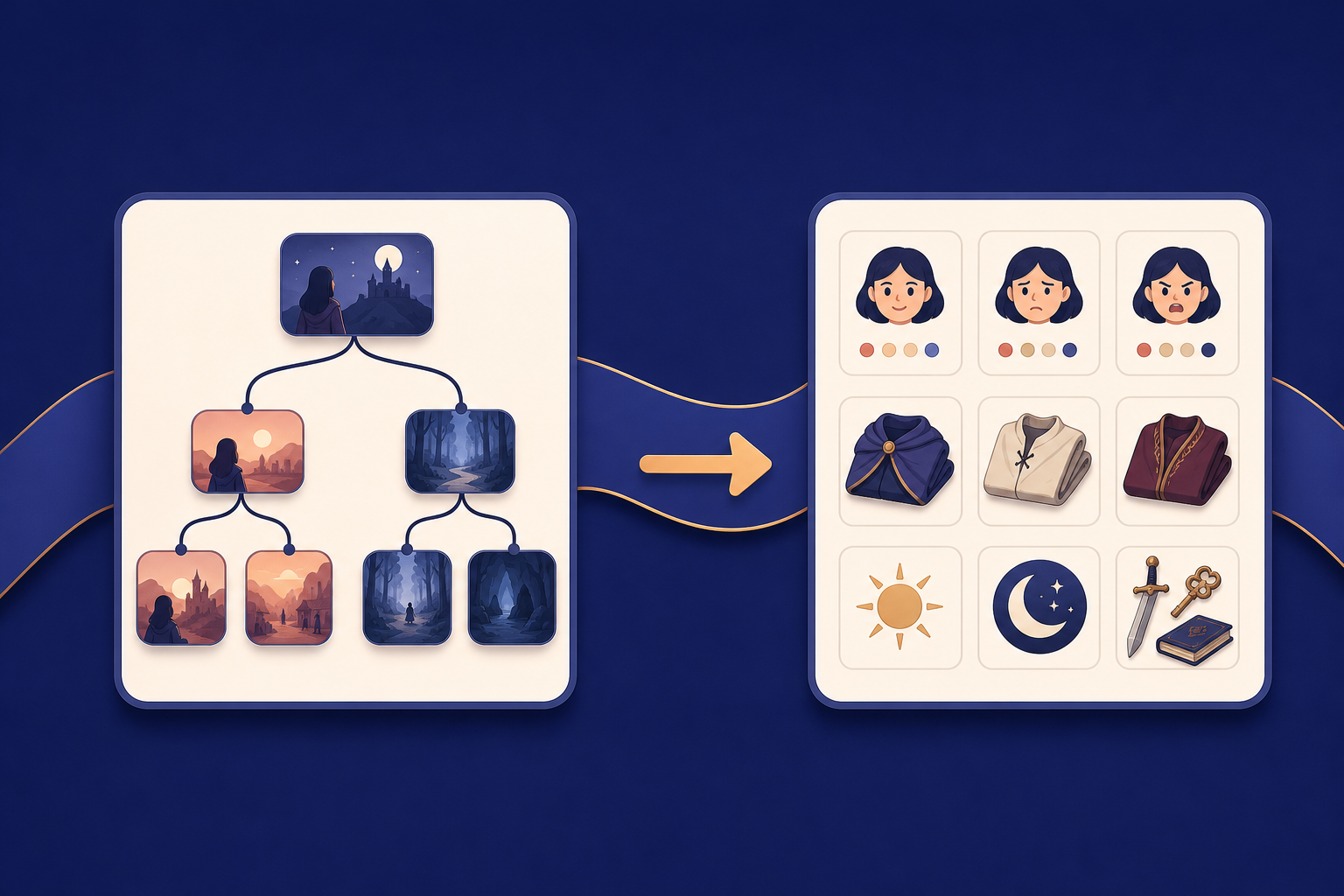
A fork that changes nothing trains viewers to stop choosing; a fork that bends the story gives them a reason to keep caring.
Stage 3–4: generate the footage, then cut for every branch
Stage three generates the footage: the director breaks the script into structured prompts, refines the dialogue, and keeps every shot inside strict limits on dynamic range and physical continuity. Stage four cuts for every branch, preserves breathing room where options alternate, and unifies color temperature and light ratio across branches in the grade.
Stage 3: Generate the footage
The director's stage converts script into shots. Scene description, lighting mood, and character motion become structured prompts for image and video generation, dialogue gets a refinement pass, and shots are generated under strict control of the two qualities AI footage loses most easily: dynamic range and physical continuity.
AI runs deep here and in the two stages before it: writers diverge worldviews and simulate branch logic, the asset team runs multi-angle concept tests, directors generate storyboard breakdowns and shot plans. The decisions stay human throughout — the story's emotional core, the asset consistency standard, and the final audiovisual language and cut belong to the makers, with generation operating inside their authority.
Stage 4: Cut for every branch
Post-production carries the branch structure into the edit. Editors assemble multi-branch montage narratives and manage pacing across forks, preserving breathing room and lens pauses where options alternate. Small flaws in generated shots get local repair, and the grade comes last, with DaVinci Resolve unifying color temperature and light-ratio texture across branches so every fork reads as one show.
Watch for the two tells that stage-five review would catch at higher cost: color temperature jumping between branches from different generations, and continuity goofs surviving into the cut — the extra fingers, clipping, flicker, and warping AI-era production adds to the classic checklist.
Every branch has to look like it came from the same show, and unified color and light across forks is what sells that illusion.
Stage 5–6: review the logic, then ship
Stage five runs three review passes before anything ships: story continuity and audiovisual coherence from the screenwriter and director, visual goofs and technical flaws from the producer, then interaction logic from the middle platform, including branch-loop closure and anti-freeze testing. Stage six distributes the finished episode, own app first, licensed platforms beyond.
Stage 5: Review the logic
Review runs as three passes held by different roles, each hunting something the others cannot see.
- Screenwriter and director pass: story continuity and audiovisual coherence, whether the branches still tell one story.
- Producer pass: visual goofs and technical flaws — extra fingers, model clipping, flicker, physical deformation.
- Middle-platform pass: the interaction itself — branch decisions must close their loops, jump experience gets tested on real devices, and anti-freeze testing confirms no choice can strand the viewer in a broken fork.
Stage 6: Ship
Distribution goes out on the maker's own app first: for DRAMAGO, the DRAMAGO app as the primary channel, with licensed platforms beyond — streaming, social, and cinema when a title warrants it.
Watch for the one shortcut that undoes five stages of care: shipping before the anti-freeze test has actually run.
An interactive episode that freezes at a fork loses the viewer's trust in every branch at once, which is why the freeze test is the last gate before release.
How complex should your first interactive episode be?
Shipped titles set the ladder: a dual-ending A-tier at 40 episodes, a three-branch S-tier at 74, and a 14-branch S-tier at 87 with quick-time events and panoramic exploration on top. Start at two endings, expect 10 to 15 days per A-tier cycle and about 30 for S-tier, and treat every cycle figure as an internal estimate.
| Title | Branch structure | Volume | Tier |
|---|---|---|---|
| The Queen's Taming Rules | Two endings | 40 episodes | A |
| Sterling Lies | Three branch lines | 74 episodes | S |
| Blood on the Badge | 14 branches, QTE, panoramic exploration | 87 episodes | S |
Blood on the Badge went live on August 15, 2026; its quick-time events and panoramic exploration are newly added mechanics whose effect is still being verified — stated honestly rather than declared proven. The ladder reads as a training path: prove the mechanism on a dual-ending title, widen to three branch lines when a clean fork feels routine, take on a 14-branch grid only after cross-branch consistency is routine.

Cycle figures carry their caveats: an A-tier interactive title turns around in 10 to 15 days, an S-tier title in about 30 — both internal estimates rather than published promises, moving with branch count, asset versions, and how much local repair the generated footage needs.
For these stages as finished work, the evidence page on the best AI-generated dramas walks through the shipped titles and what their interaction does on screen.
Two endings finished well teach you more about branching than fourteen planned loosely.
FAQ: making episodes interactive
Four questions cover the ground makers most often stand on: whether the work needs a big team, how long one interactive episode takes, what separates a real choice from a fake one, and how the production environment relates to the app audiences use. Each answer stays inside the six stages described above.
Do I need a big team to make an episode interactive?
No, not to start. The first two stages are desk work — a worldview, a mainline, a branch tree, an asset list — and a single writer can carry a project that far before any footage exists. Weight arrives later, in generation, editing, and the three-pass review, though the environment lightens that load too.
How long does one interactive episode take?
Expect 10 to 15 days for an A-tier interactive title and about 30 for an S-tier one, both internal estimates rather than commitments. Cycle time moves with branch count and asset versions, which is why the ladder above doubles as a schedule guide.
What makes a choice "real" in an interactive episode?
A real choice changes something downstream that the viewer can see — a branch taken, an ending swapped, a relationship moved. A fake one changes a line of dialogue and nothing else. Tier the choice points, keep the forks that bend the story, cut the ones that only decorate it.
Is DRAMAGO AI the same thing as the DRAMAGO app?
No. DRAMAGO AI is the production environment where film teams collaboratively make interactive dramas; the DRAMAGO app is where audiences watch them, choose at the story nodes, and stay with the characters. One side makes, the other watches, and every stage here happens on the making side.
Reading carries you only so far; opening a finished episode and hitting a fork does the rest. And once an interactive series ships, its world can keep working: the world of Blood on the Badge extends into DEADWOOD, the first Story World in DRAMAGO Worlds, where audiences enter and continue exploring beyond the episodes — see what DRAMAGO Worlds is. For the platform behind both sides, start from the DRAMAGO overview.